Your hull. Visible.
SailEdge™ by SailrScience assigns the best-fitting hull from the reference library by certificate best fit — shown for your review before any number leans on it.
Explore Your Edge For Racers →SailEdge™ by SailrScience assigns the best-fitting hull from the reference library by certificate best fit — shown for your review before any number leans on it.
Explore Your Edge For Racers →The engine assigns the best-fitting hull family from your certificate — Ballast, Form, or Hybrid.
Cross sections inside the hull outline. Sheer, waterline, keel.
Confirm the assignment before the Edge Map (the performance delta grid — every sail measured against your boat’s ORC polar at every wind speed and angle) — or change it as a declared scenario.
The Boat tab carries the best-fitting reference from the R16 hull library of 52 Delft Systematic Series reference geometries (IGES-derived), assigned by certificate best fit — with the ranked candidates alongside for your review. Change it if you choose: an override is a declared scenario, never a silent change of truth.
The assigned hull appears as a profile card — cross-section station frames inside the hull outline, sheer line, waterline, and keel spine all visible. You see the shape before any number leans on it.
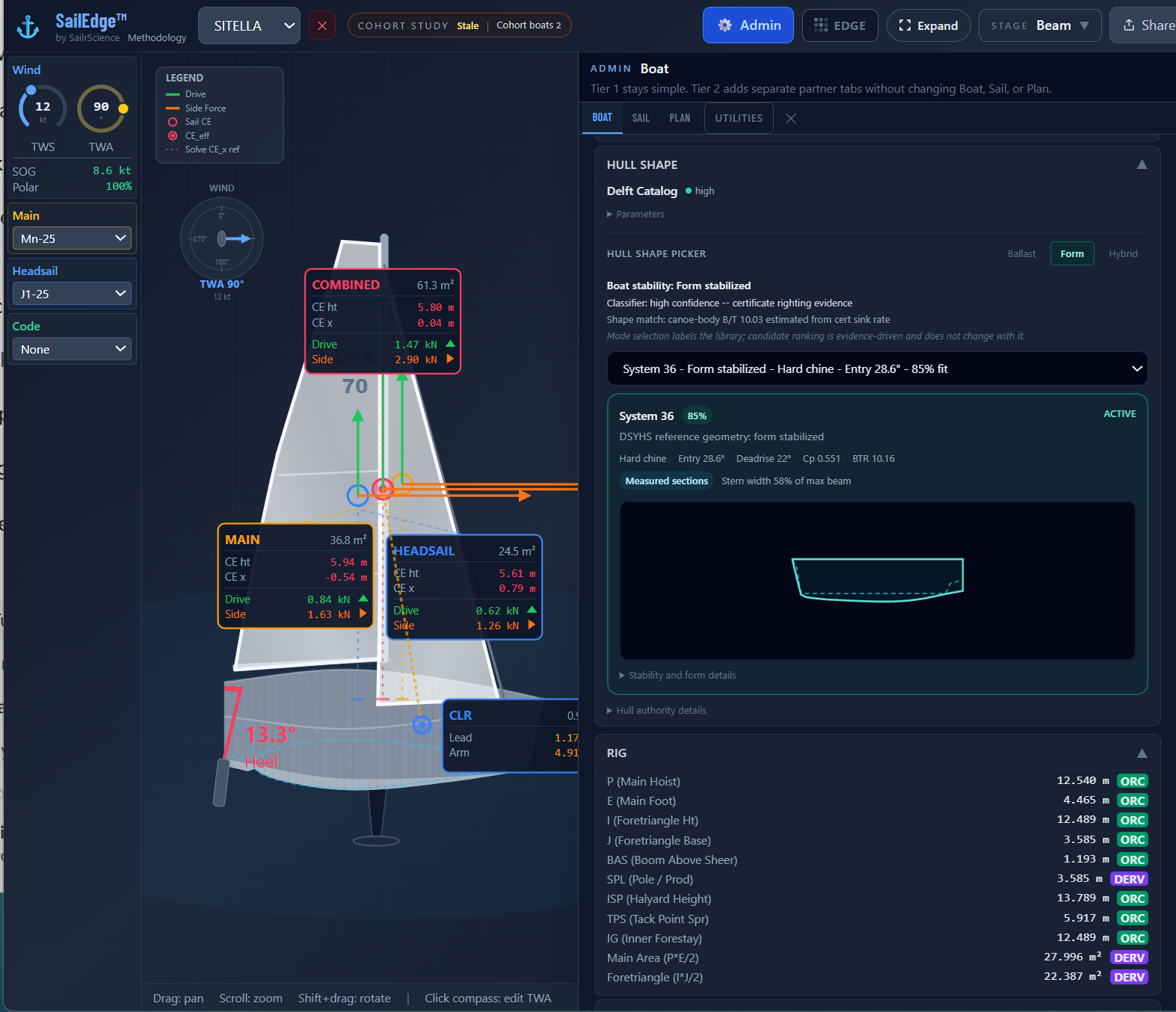
Deep keel, narrow waterplane. Stability (the boat’s righting behavior — rated on the certificate, then computed by the R16 stability layer for each sailing state) predominantly ballast-led across the supported heel range.
Wide beam, strong waterplane. Stability carried by hull form, strongest at low heel.
Stability from beam and ballast in balance.
If the hull family is wrong, the delta is wrong. Hull Shape puts that decision in front of you before you run the study.